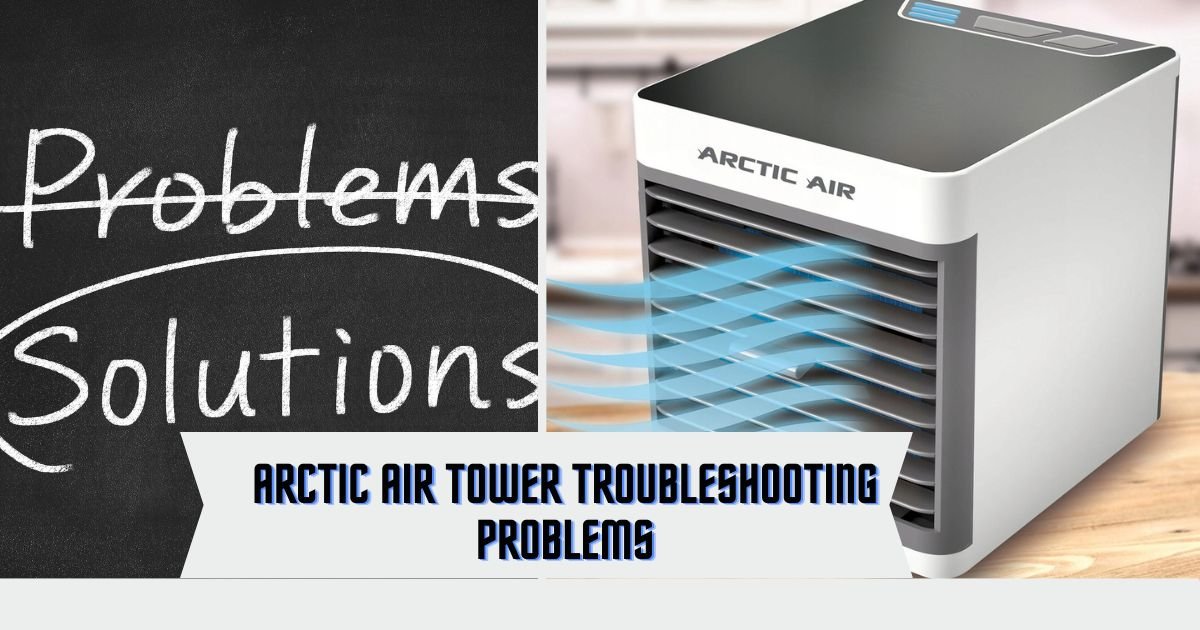
Arctic Air Tower Troubleshooting Problems: Expert Guide To Fixing Common Issues
Here is a list of common troubleshooting issues and their potential solutions related to Arctic Air Tower:
- No airflow: Check if the fan is running and clean the air filter.
- Unit not cooling: Ensure the temperature setting is correct and check for any obstructions blocking air flow.
- Water leakage: Examine if the water tank is secure and not overfilled.
- Unusual noise: Inspect for loose parts or debris inside the unit.
- Unit not turning on: Verify if the power cord is properly plugged in and check the outlet for power.
Are you tired of constantly adjusting the temperature settings on your arctic air tower, only to find that it’s still not providing the relief you desperately need? Do you find yourself fanning the air around you, wondering why the fan on your arctic air tower suddenly stopped working? And what about that persistent water leakage issue that dampens both your spirits and your surroundings? If you’ve encountered any of these frustrating problems with your arctic air tower, then you’ve come to the right place. In this comprehensive blog article, we will delve into the world of arctic air tower troubleshooting problems, providing you with the solutions and insights you need to overcome these challenges.
Whether you’re a homeowner relying on your arctic air tower to keep your living space cool and comfortable or an office worker searching for relief during those sweltering summer days, this article is tailored to help you tackle the issues you may encounter. From incorrect temperature settings to fan malfunctions and water leakage, we will address the most common problems faced by arctic air tower users.
By the end of this article, you’ll have a deeper understanding of how to optimize the efficiency of your arctic air tower and ensure it works flawlessly to keep you cool and comfortable. So, sit back, relax, and prepare to unlock the secrets of arctic air tower troubleshooting. Say goodbye to the frustrations and hello to the refreshing, cool air you deserve.
Troubleshooting Common Issues with Arctic Air Towers
Troubleshooting Arctic air towers, also known as air cooling units or portable evaporative coolers, may involve addressing various issues. Here are some of the main problems you may encounter and steps to troubleshoot them:
No Cooling Effect:
- Check if the water tank is filled with enough water.
- Verify that the water pump is working; you should hear it running or feel vibrations.
- Ensure that the cooling pads are clean and not clogged with dust or debris. Clean or replace them if necessary.
Insufficient Airflow:
- Clean or replace the air filters to maintain proper airflow.
- Make sure the fan speed setting is appropriately adjusted for your cooling needs.
Water Leaks:
- Inspect the water supply connections and hoses for any leaks. Tighten or replace as needed.
- Ensure that the water tank is properly sealed and that there are no cracks or damage.
Unusual Noise:
- Listen for any unusual sounds, which may indicate a problem with the fan or motor. If you hear grinding or rattling noises, it may be necessary to replace the fan or motor components.
Unit Not Powering On:
- Check the power source and ensure the unit is properly plugged in.
- Verify that the power switch or control panel is in the “on” position.
- If the unit has a remote control, check the batteries in the remote and the remote’s functionality.
Frequent Shutdowns or Overheating:
- Ensure that the unit is not placed in direct sunlight or near heat sources, as this can affect its cooling efficiency.
- Clean the unit’s internal components, including the fan and cooling pads, to prevent overheating due to dust buildup.
Inaccurate Temperature Control:
- Use a separate thermometer to verify the temperature in the area you’re trying to cool. Arctic air towers may not be as effective in extremely hot and dry conditions.
Foul Odors:
- If the unit emits unpleasant odors, clean the water tank and cooling pads. Adding a few drops of essential oil to the water can help improve the scent.
Inadequate Cooling in High Humidity:
- Evaporative coolers are most effective in dry, low-humidity conditions. In high-humidity environments, their cooling efficiency may be reduced.
Remote Control Issues:
- Replace the remote control batteries if it’s not functioning.
- Ensure there is a clear line of sight between the remote and the unit for proper signal transmission.
Arctic Air Tower 2.0 Turning Off Unexpectedly
If your Arctic Air Tower 2.0 frequently shuts down unexpectedly, you’re not alone. This common issue may stem from an internal power supply problem. Here are steps to address it:
- Confirm all connections are secure.
- Check for loose or frayed wires that could cause a short circuit.
- Use high-quality surge protectors to safeguard against electrical damage.
- If issues persist, consider reaching out to customer support or exploring replacement options.
The Importance of Proper Temperature Settings
Why Are Temperature Settings Important?
One of the most common problems faced by arctic air tower users is incorrect temperature settings. Understanding the importance of proper temperature settings is crucial to optimizing the performance of your device.
The temperature at which you set your arctic air tower can significantly impact its cooling capabilities. Setting the temperature too high may result in insufficient cooling, leaving you feeling hot and uncomfortable. On the other hand, setting the temperature too low can strain the device and lead to higher electricity consumption.
How to Set the Temperature Properly
To ensure optimal cooling and energy efficiency, it’s important to set the temperature of your arctic air tower correctly. Here’s how you can do it:
- Refer to the user manual: Every arctic air tower model may have a slightly different temperature control system. Check the user manual that came with your device for specific instructions on setting the temperature.
- Start with a moderate temperature: If you’re unsure about the ideal temperature, begin by setting it to a moderate level, such as 25 degrees Celsius or 77 degrees Fahrenheit. Monitor the cooling effect and adjust accordingly based on your comfort level.
- Consider the ambient temperature: Take into account the temperature of the room or area where the arctic air tower is placed. If the room is already cool, you may not need to set a low temperature. Conversely, if the room is warm, you may need to set a lower temperature to achieve the desired cooling effect.
By setting the temperature properly, you can ensure that your arctic air tower functions optimally, providing you with the cooling relief you need without overstraining the device or wasting energy.
Addressing Fan Malfunctions
Understanding Fan Malfunctions
A malfunctioning fan is another common issue faced by arctic air tower users. The fan is responsible for circulating the cool air produced by the device, and any disruption in its functioning can hamper the cooling effect.
There are several reasons why your arctic air tower fan may not be working correctly, including:
- Dust accumulation: Over time, dust and debris can accumulate on the fan blades, hindering their rotation and reducing airflow.
- Mechanical issues: The fan motor or other mechanical components may experience wear and tear, leading to malfunctions.
- Electrical problems: Faulty wiring or electrical connections can cause the fan to stop working or operate at a reduced speed.
Troubleshooting Fan Malfunctions
If you’re experiencing issues with your Arctic Air Tower fan, here are some troubleshooting steps you can take:
- Clean the fan blades: Gently remove any dust or debris from the fan blades using a soft cloth or a brush. This will help improve airflow and restore the fan’s functionality.
- Check for mechanical issues: If cleaning the fan blades doesn’t solve the problem, you may need to inspect the fan motor and other mechanical components. If you notice any signs of damage or wear, it’s advisable to contact a professional technician for repairs.
- Verify electrical connections: Ensure that all electrical connections are secure and free from any loose or damaged wires. If you suspect an electrical issue, it’s best to seek assistance from a qualified electrician to avoid any safety hazards.
By troubleshooting fan malfunctions and addressing the underlying causes, you can restore proper airflow and enhance the cooling performance of your arctic air tower.
Resolving Water Leakage Issues
The Cause of Water Leakage
Water leakage is a distressing problem that some arctic air tower users encounter. The accumulation of water around the device not only affects its functionality but also poses a potential risk of damage to your surroundings.
Water leakage from an arctic air tower is often caused by condensation. As the device cools the air, it also removes moisture from the atmosphere. This moisture collects and condenses on the internal surfaces of the device, forming water droplets. If not properly drained, this water can leak out of the unit.
Solving Water Leakage Issues
If you’re dealing with water leakage from your arctic air tower, follow these steps to troubleshoot and resolve the issue:
- Check the drainage system: Ensure that the drainage hole or tray of your Arctic air tower is not clogged. Clean out any debris or obstructions that may be preventing proper drainage.
- Position the device correctly: Make sure that your arctic air tower is placed on a level surface. If the device is tilted or not positioned correctly, water may not flow toward the drainage hole, leading to leaks.
- Reduce humidity in the room: High humidity levels can contribute to increased condensation within the device. Consider using a dehumidifier or keeping the room well-ventilated to minimize moisture accumulation.
By addressing water leakage issues promptly and taking preventive measures, you can ensure a hassle-free experience with your Arctic air tower, free from any moisture-related problems.
How to Reset Your Arctic Air Cooler
Should you need to reset your Arctic Air Cooler, follow these straightforward steps:
- Unplug the unit from its power source for at least thirty seconds.
- Reconnect the unit and press the “power” button on the top of the cooler until all lights illuminate.
- This uncomplicated process should restore your Arctic Air Cooler to normal operation.
Enhancing Arctic Air’s Efficiency
To maximize your Arctic Air’s performance:
- Regularly clean or replace the filter.
- Ensure vents remain unblocked for optimal airflow.
- Use a humidifier to regulate indoor humidity levels and boost efficiency.
In this comprehensive guide, we have explored the most common arctic air tower troubleshooting problems and provided practical solutions to help you overcome them. By setting the temperature properly, addressing fan malfunctions, and resolving water leakage issues, you can optimize the performance of your device and enjoy a cool and comfortable environment.
Remember, proper maintenance and regular cleaning are key to keeping your arctic air tower in top-notch condition. Refer to the manufacturer’s instructions and follow recommended maintenance practices to ensure long-term reliability and efficiency.
Say goodbye to frustrating temperature adjustments, malfunctioning fans, and water leakage. With the insights gained from this article, you’re now equipped to troubleshoot and resolve common arctic air tower problems effectively.
Don’t let these problems hold you back from enjoying the refreshing coolness of your arctic air tower. Take action today and embrace a trouble-free cooling experience.
Some other Arctic Air Models Common Troubleshooting
Arctic Air Ultra Troubleshooting
If you’re experiencing issues with your Arctic Air Ultra and need troubleshooting assistance, here are some common problems and solutions:
No Cooling Effect:
- Make sure you have enough water in the unit’s water tank.
- Ensure the water curtains or cooling pads are clean and not clogged with dust or debris. Clean or replace them if necessary.
- Check if the water pump is functioning correctly. If it’s not, it may need to be replaced.
- Verify that the air filter is clean and not obstructed.
Unit Not Turning On:
- Ensure the unit is properly plugged into a working power outlet.
- Check if the power button is pressed or if the remote control is working.
- Inspect the power cord for any damage or loose connections.
Strange Smells or Noises:
- If you notice unusual smells, it may be due to stagnant water in the unit. Empty and clean the water tank regularly to prevent this.
- Unusual noises could indicate an issue with the fan or motor. Contact customer support for assistance or repair.
Insufficient Cooling:
- Arctic Air Ultra is designed for personal cooling in close proximity. It may not provide significant cooling in larger spaces or rooms with poor ventilation.
Water Leaks:
- Ensure that the water tank is properly sealed and inserted into the unit.
- Check for any cracks or damage to the water tank that may be causing leaks.
Remote Control Problems:
- Replace the batteries in the remote control if it’s not responding.
- Make sure there are no obstructions between the remote control and the unit.
Arctic Air Pure Chill XL Troubleshooting
Problem:
Facing trouble with your Arctic Air Pure Chill XL cooler?
Solution:
Begin by verifying the connections between the power supply and cooler to avoid interruptions in power. If the LED light on the unit is flashing red or blinking quickly, it signifies a malfunction. A simple solution is to unplug and then plug the unit back in to reset the system.
If these steps prove ineffective, reach out to customer support for professional guidance.
Arctic Air Pure Chill 2.0 Troubleshooting
Problem: Is your Arctic Air Pure Chill 2.0 refusing to turn on?
Solution: The most likely culprit is a power issue. Ensure the unit is properly plugged in and that the outlet has power. If it remains unresponsive, inspect the plug and the unit for loose or frayed wires that may be causing an electrical problem.
Arctic Air Tower review: #ArcticAirTower #ArcticAir [296]
Why is my arctic air tower not cooling properly?
Why is my arctic air tower making noise?
Is it normal for my arctic air tower to emit a strange odor?
Why is my arctic air tower not turning on?
How often should I clean the filter of my arctic air tower?
Final Troubleshooting Tips for Arctic Air Tower Users
In conclusion, proper temperature settings, fan malfunctions, and water leakage are common troubleshooting problems faced by arctic air tower users. Understanding the importance of temperature settings is crucial for optimizing the device’s performance.
Setting the temperature too high or too low can result in insufficient cooling or strain on the device. By referring to the user manual, starting with a moderate temperature, and considering the ambient temperature, users can set the temperature properly to ensure optimal cooling and energy efficiency.
Fan malfunctions can hinder the cooling effect of the arctic air tower. Dust accumulation, mechanical issues, and electrical problems are common causes of fan malfunctions. Cleaning the fan blades, inspecting mechanical components, and checking electrical connections are important troubleshooting steps to restore proper airflow and enhance cooling performance.
Water leakage from an arctic air tower is often caused by condensation. Checking the drainage system, positioning the device correctly, and reducing humidity in the room can help solve water leakage issues. By addressing these problems promptly and taking preventive measures, users can ensure a hassle-free experience with their arctic air tower.